PPP Studio
An AI teammate that does my busywork and asks me before anything public or permanent.
Role: I designed, directed and reviewed; Claude Code wrote the code.
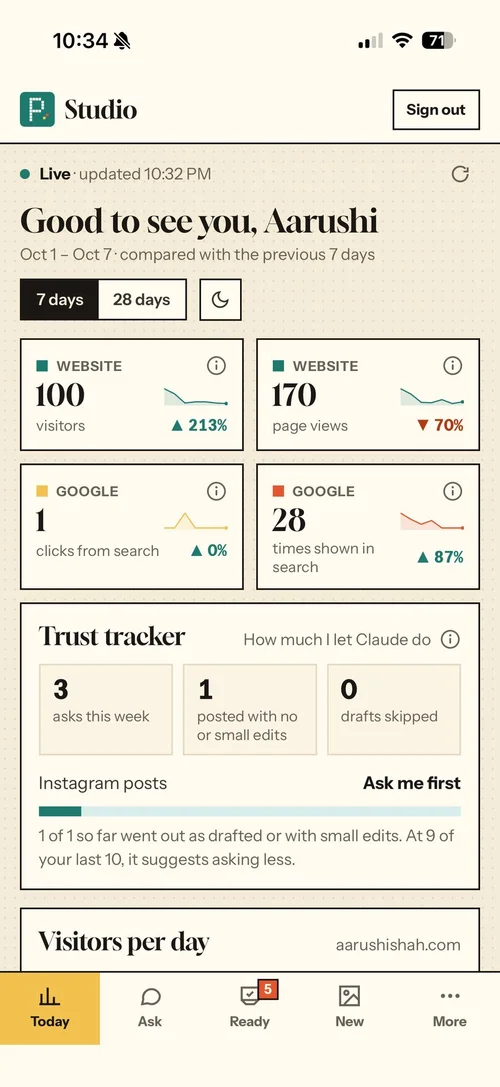
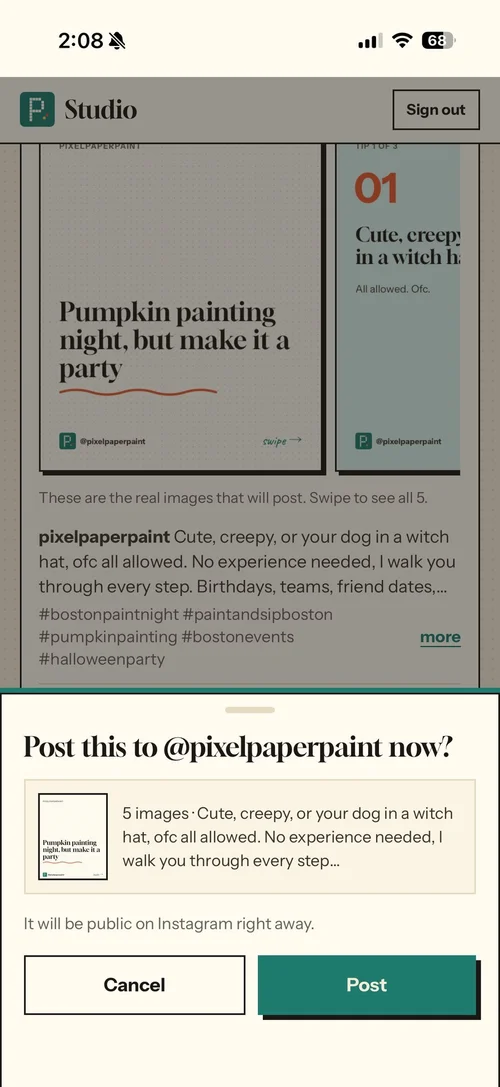
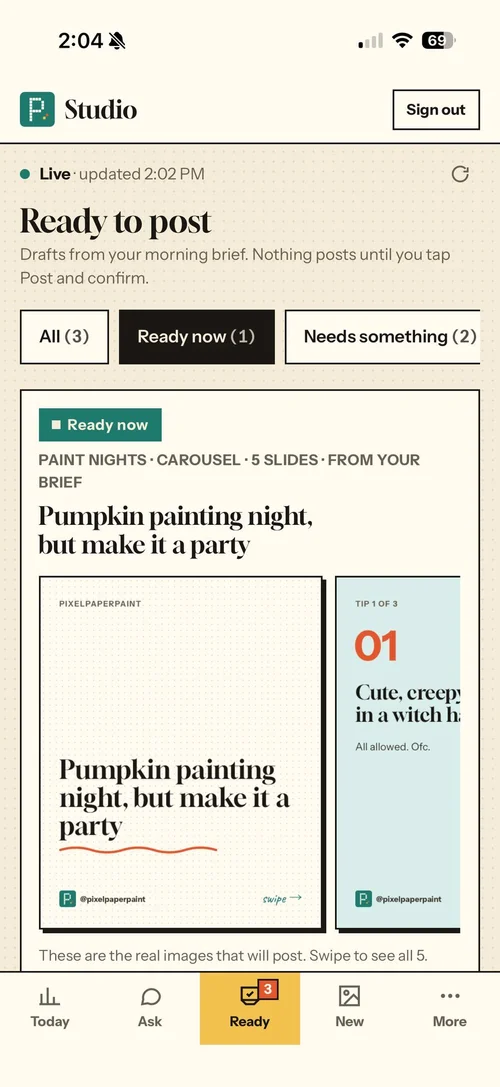
ResultLive on my phone since Oct 2. Nothing posts until I tap Post and confirm.
My rule
If other people will see it, or I can’t undo it, ask me. Everything else, do it and show me after.
My calls
- The ask-first rule
- Five tabs: Today, Ask, Ready, New, More
- Ready to post, with Skip and Undo
- The Trust tracker, where asking less is earned
- The look: my own studio brand, so the app matches my website
None of them talk to each other
I run Pixel Paper Paint by myself: product and visual design, wedding conceptualization and paint nights. My week is split across my website, Google Analytics, Search Console, Google Ads, Instagram, Facebook and email. None of them talk to each other, and every post starts from a blank caption.
The user was me. But I’m not unusual. A lot of people running small businesses have no tech team, a shared laptop and real accounts on the line, and they’re starting to hand parts of their work to AI.
One app on my phone that does the busywork and leaves the public and permanent calls to me
Today
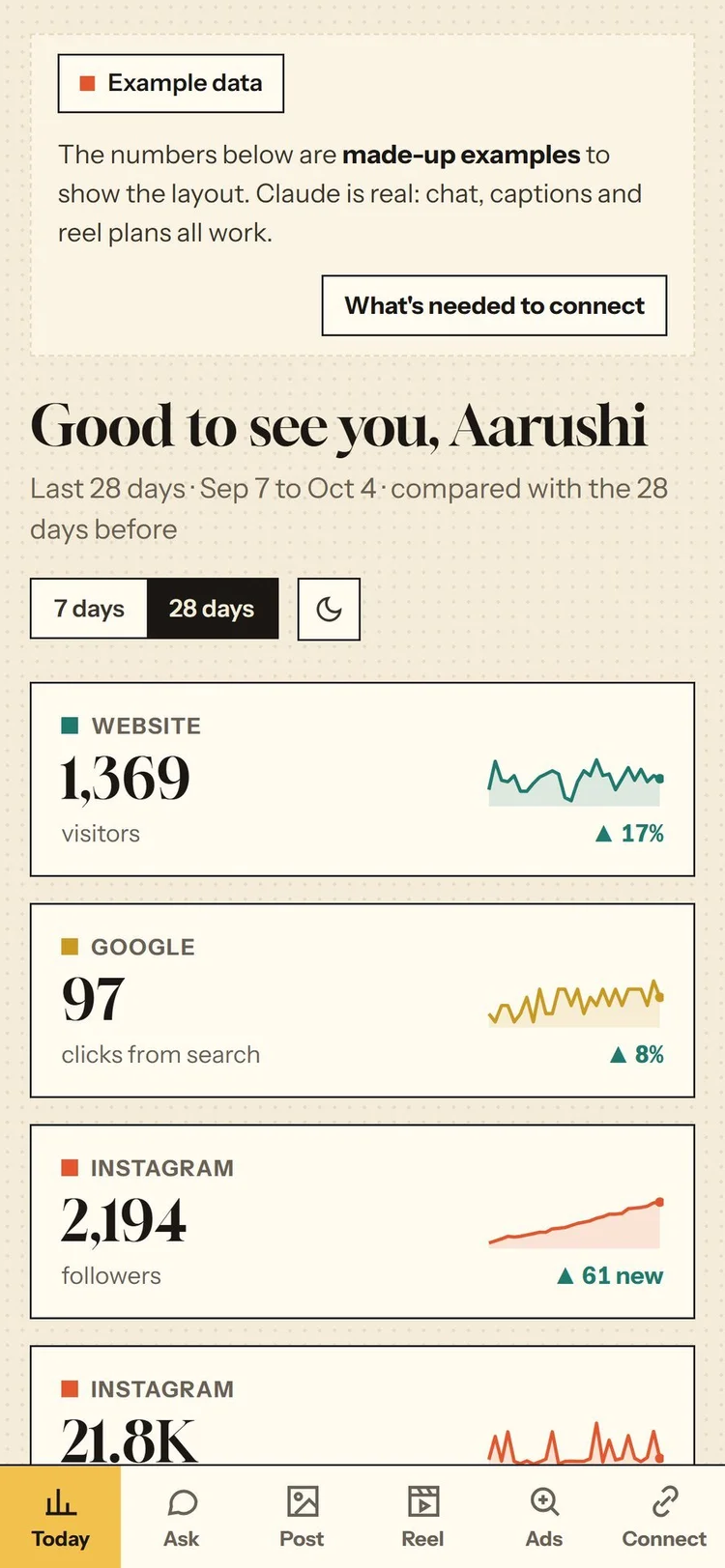
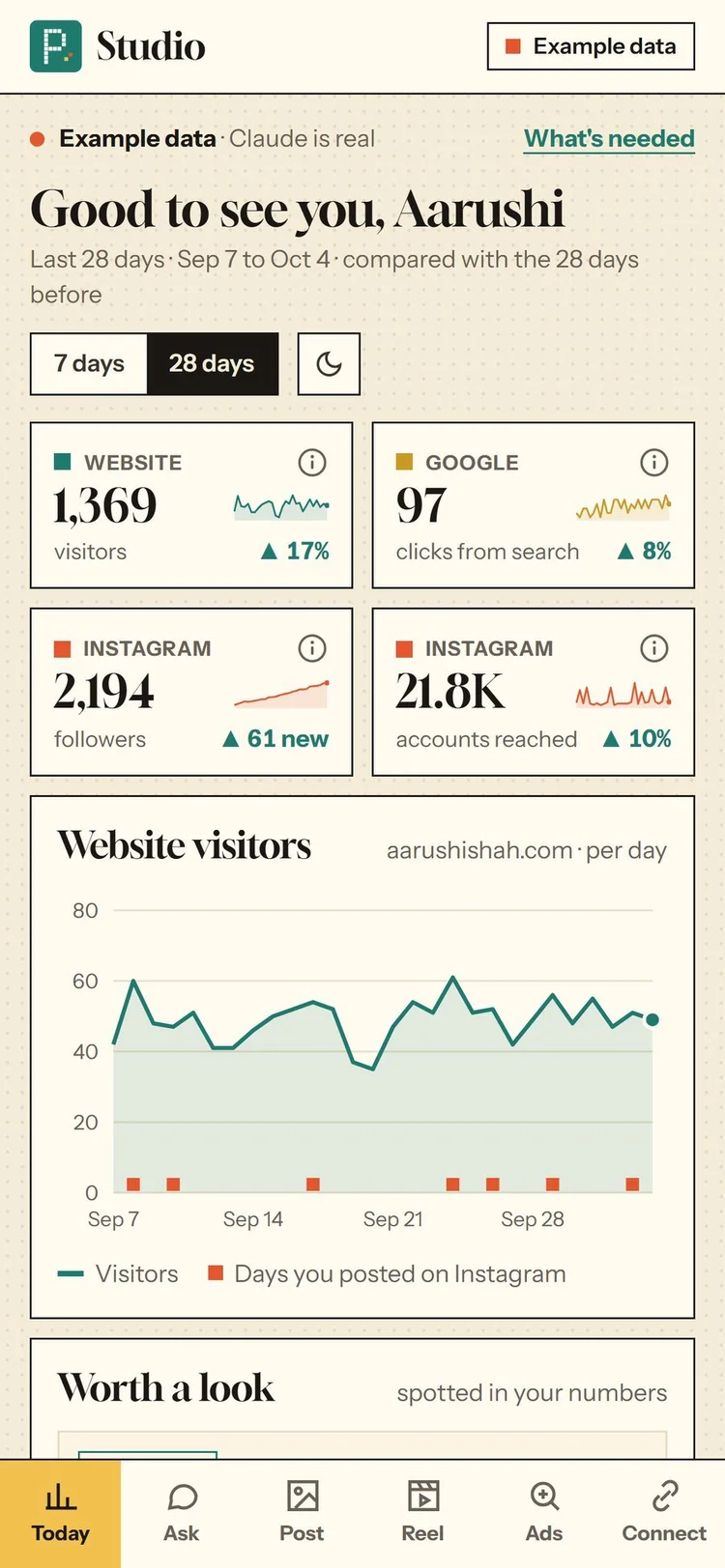
Website visitors, Google searches and Instagram reach in one place. Every number has a small “i” that explains it in plain words.
Ask Claude
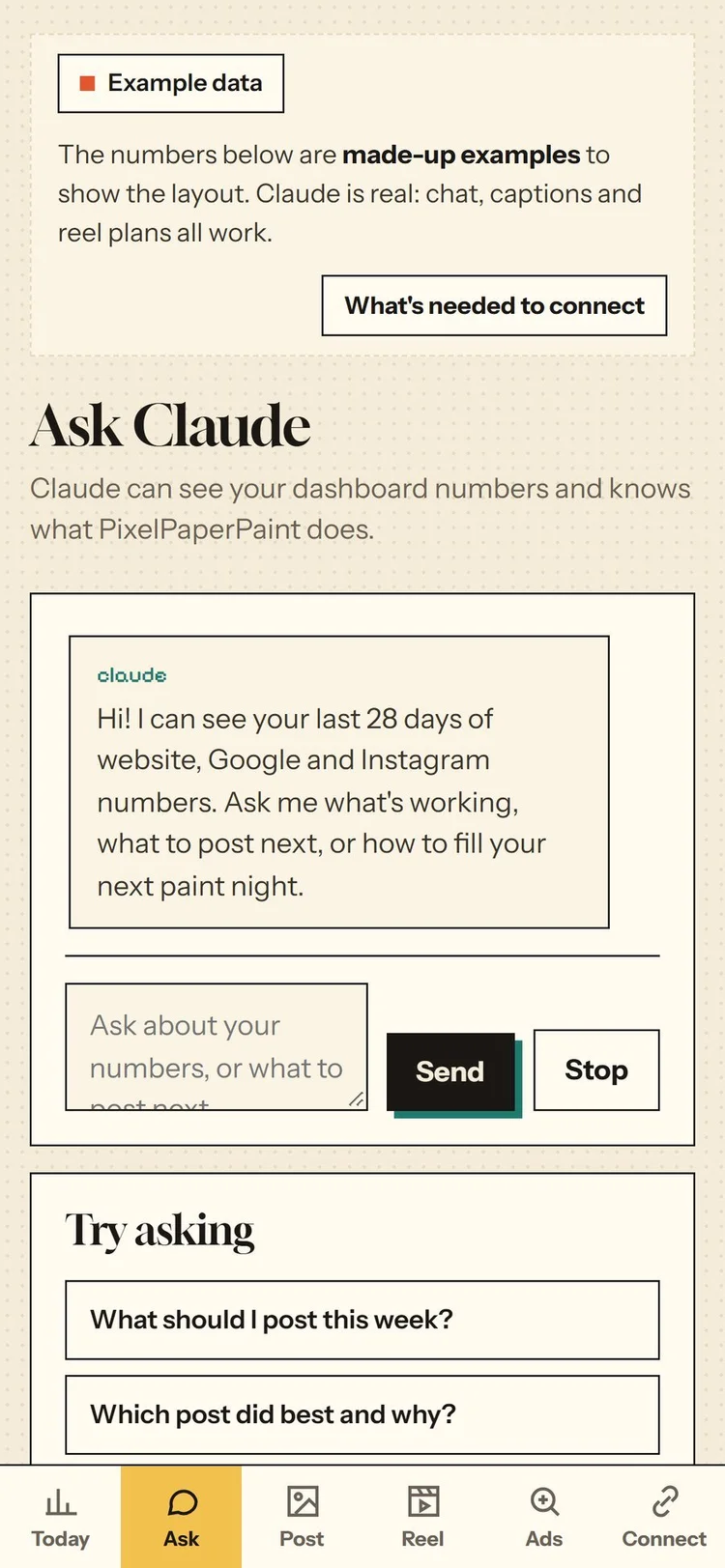
Questions about my own numbers, answered from my real data.
New
Pick a post or a reel. Claude drafts captions in my voice and follows how Instagram and LinkedIn say they rank posts.
Ready to post
Every morning, three drafts from my brief wait here. Designed carousels turn into real images in my brand. Nothing posts until I tap Post and confirm.
Morning brief
A scheduled agent reads my numbers and public trend sources, writes three post ideas, saves them as drafts and emails me.
Trust tracker
Counts every time the app asks me before acting, and what I did with it.
Swipe for more screens →
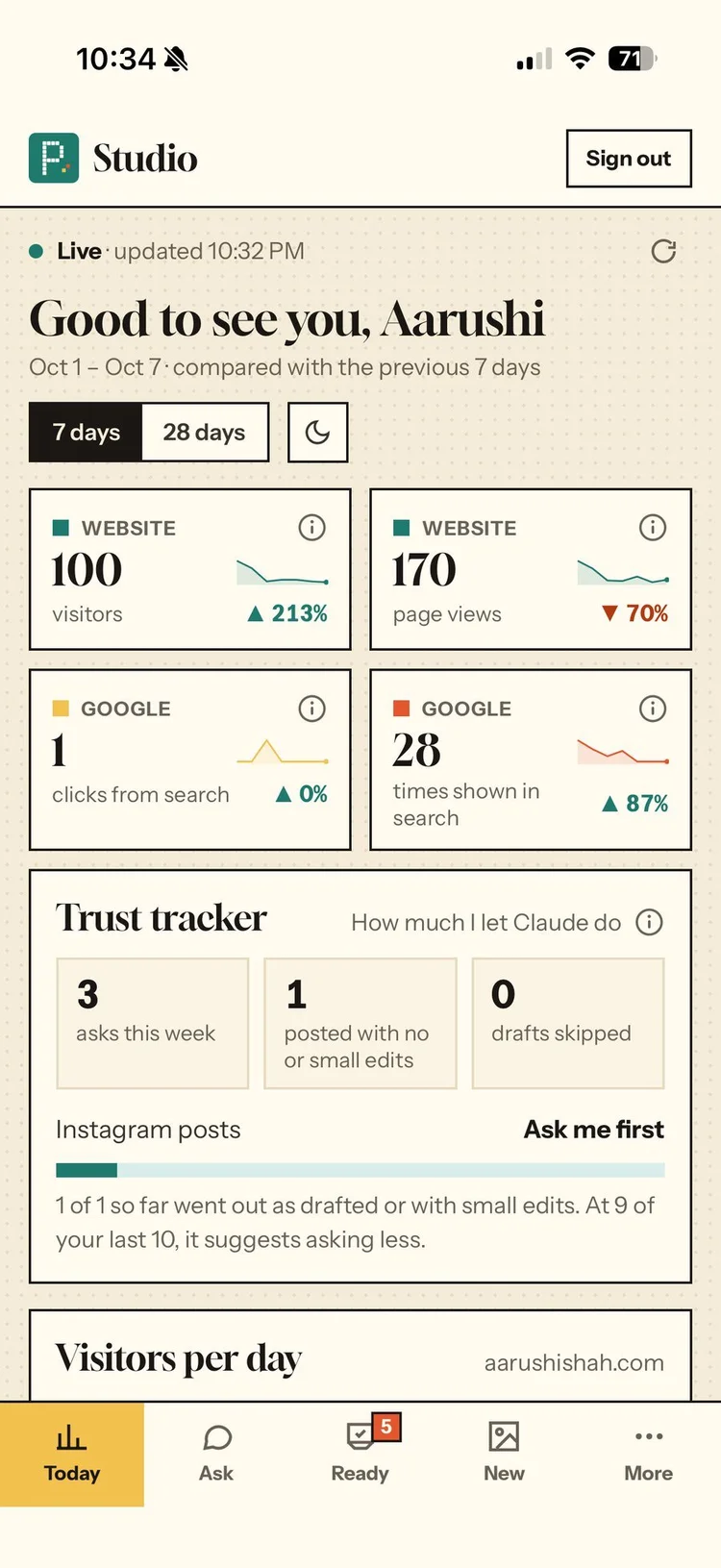
Live status line, four real numbers and the Trust tracker.
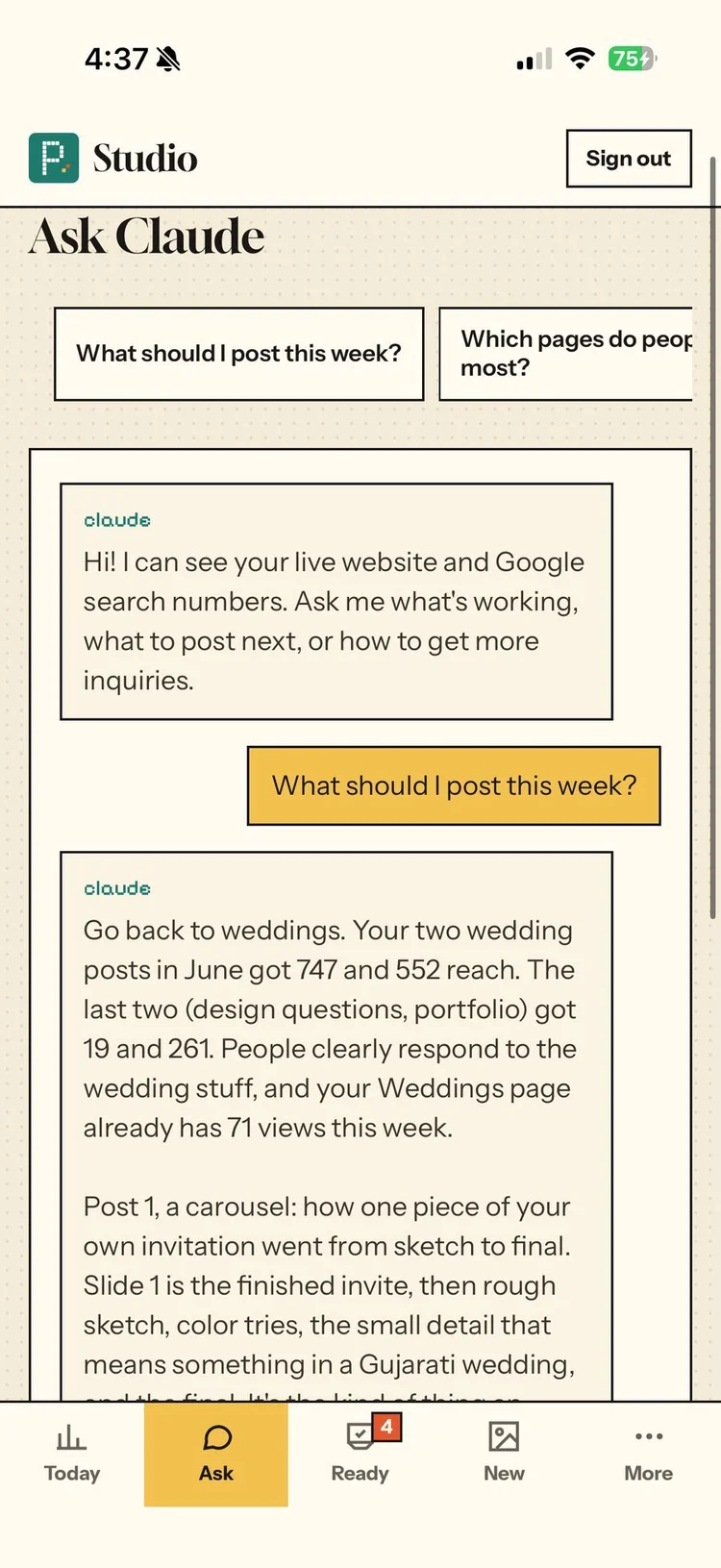
I asked what to post this week. It answered from my real numbers.
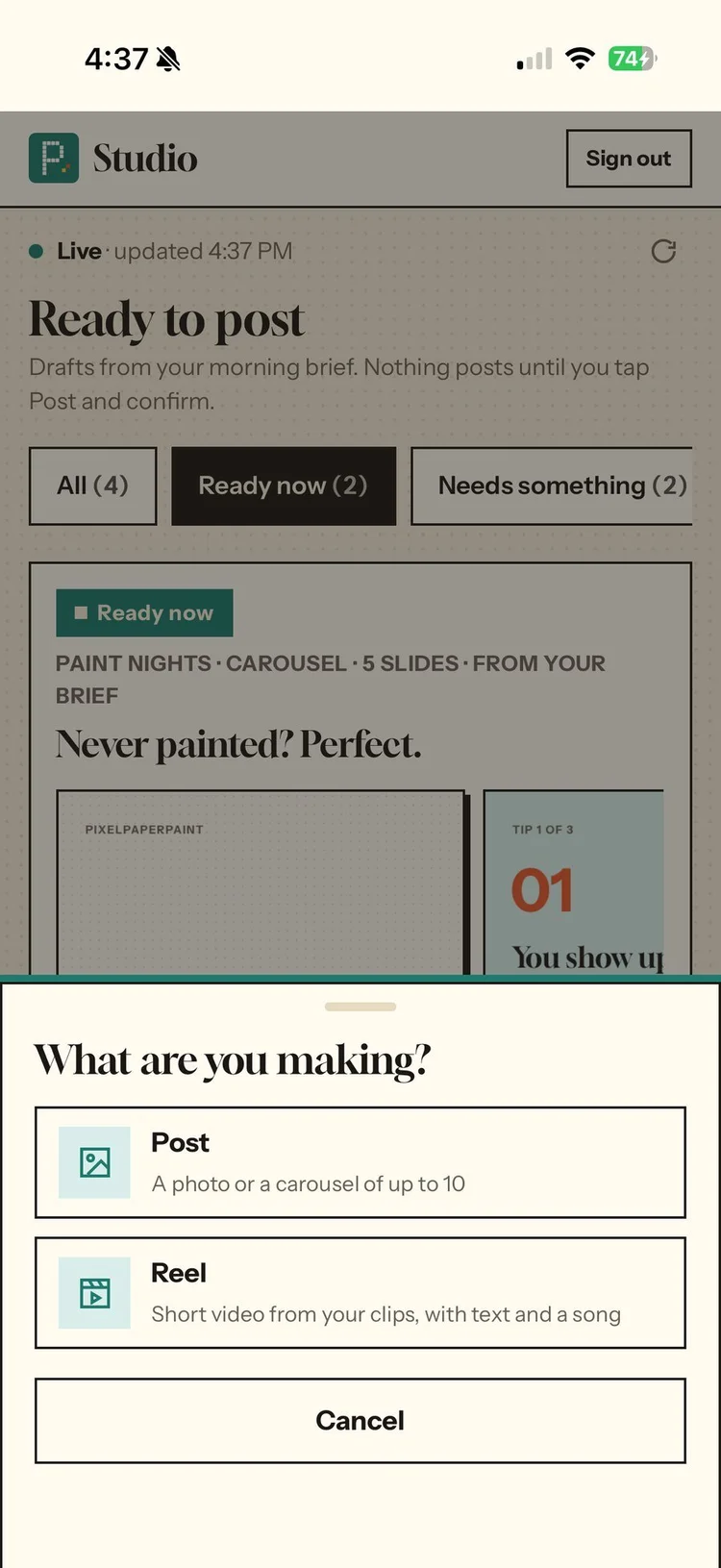
One New tab: pick a post or a reel.
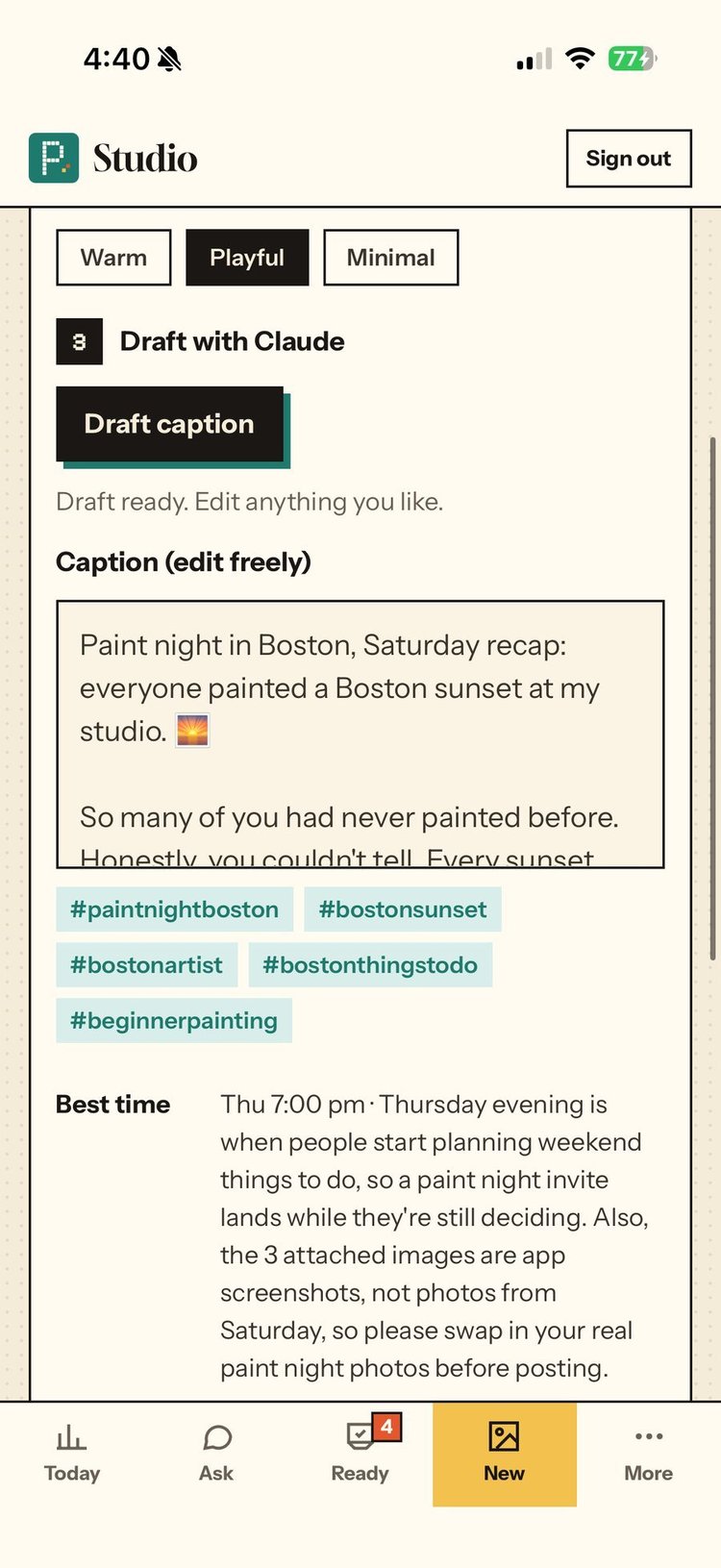
A caption Claude drafted in my voice, with hashtags and a best time.
Honestly the code was the easy part
On Sep 29 I had a clickable prototype that Claude built from my description. We’d planned to start building after a webinar on Oct 6. On Oct 2 at 12:12 AM I wrote “why after oct 6 let’s start now”, and around 1 AM the app was live with my real numbers. Honestly the code was the easy part. Most of that hour went to accounts, permissions and copy-paste.
What I asked for on Sep 29“i want to ask if you can create an app where all our tracking in real time is possible. Like my website, instagram account, ads manager etc. It is easier when everything is in one place. And it’ll be great if i can interact with claude there as well. So imagine if i were to create a post or reel for my business account i can upload the images or videos directly in the app and then you can create it for me so it’s very convenient.”
Wrote the code, set up the services, deployed it, tested sign-in and Ask Claude on the live site
Product decisions, design reviews on my phone, and anything with my passwords, money, terms or account access
Calls I made
Every round started with something I noticed
The look is my own studio brand. I’m a visual designer and the app was for me first, so it matches my website. The day it went live, I went through it on my phone like any client app.
Numbers were unclear, then hard to read
maybe we put a small “i” on top to tell people what exactly that is
has a very big circle and it seems it’s not aligned
the numbers in the font are still not readable
A small, centered “i” on every number, explained in plain words, and every number in the clean body font
Too many tabs
it could be named “new” and when you click on it you have the option to select a post or a reel
Five tabs: Today, Ask, Ready, New, More
Captions sounded generic
make it sound like i wrote it
Voice rules every caption follows
I also changed how I review. Instead of mockups as separate links, every new design now shows up as a “Design to review” card inside the app, and nothing goes live until I approve it.

My map of the trust rule I redesigned on Oct 7.
Before and after
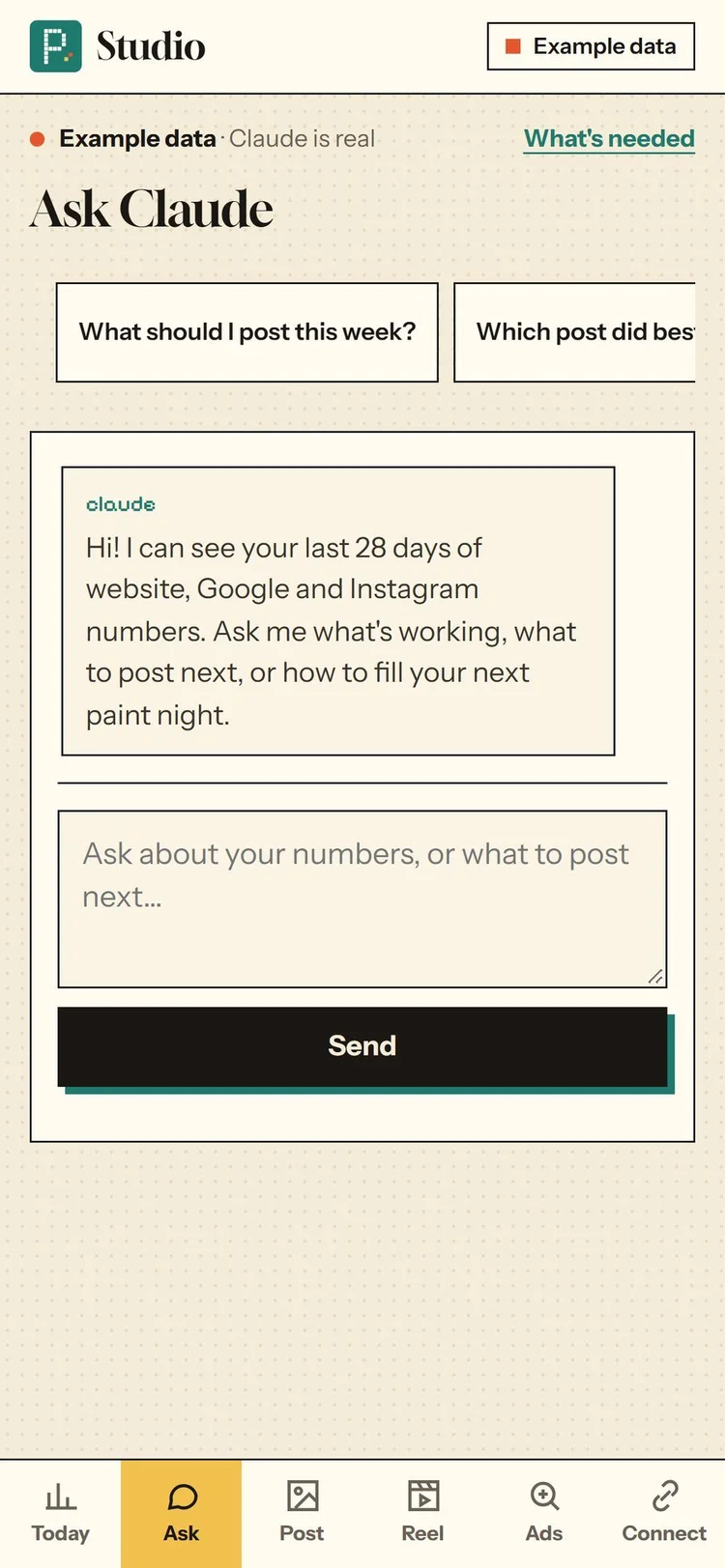
The prototype as it was on Oct 1, and the refined version on Oct 2, at iPhone size, with made-up example numbers. The status line became one quiet line, and the typing box went full width.
What it asks me first, and what it just does
If other people will see it, or I can’t undo it, ask me. Everything else, do it and show me after.
Why I made the rule
I asked Claude to share my LinkedIn comment as a note on my business Facebook Page. Notes cap at 60 characters, so it rewrote my words and posted them in my name before I’d read them.
Setting up Google Ads, I typed “WHAT IS THIS WINDOW THAT IS OPEN?” Claude kept clicking and saved my goal before it answered.
I asked it to deactivate an old Facebook Page. It landed on my personal profile’s deactivation screen by mistake, then stopped and backed out.
All three happened in my Claude chats while it helped run my business that week, not inside PPP Studio.
How PPP Studio follows it
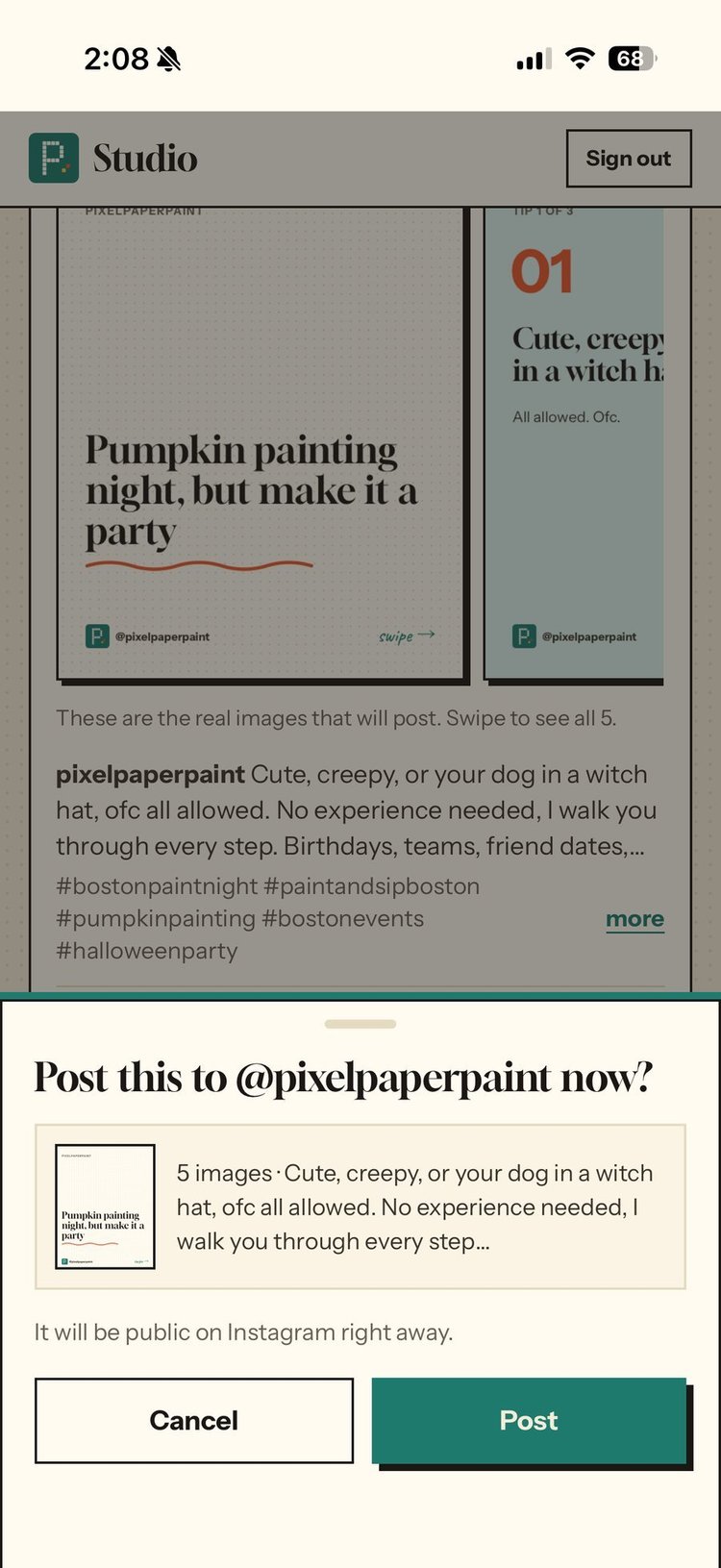
The exact images and caption, then Cancel or Post.
From brief to post
Swipe for the next step →
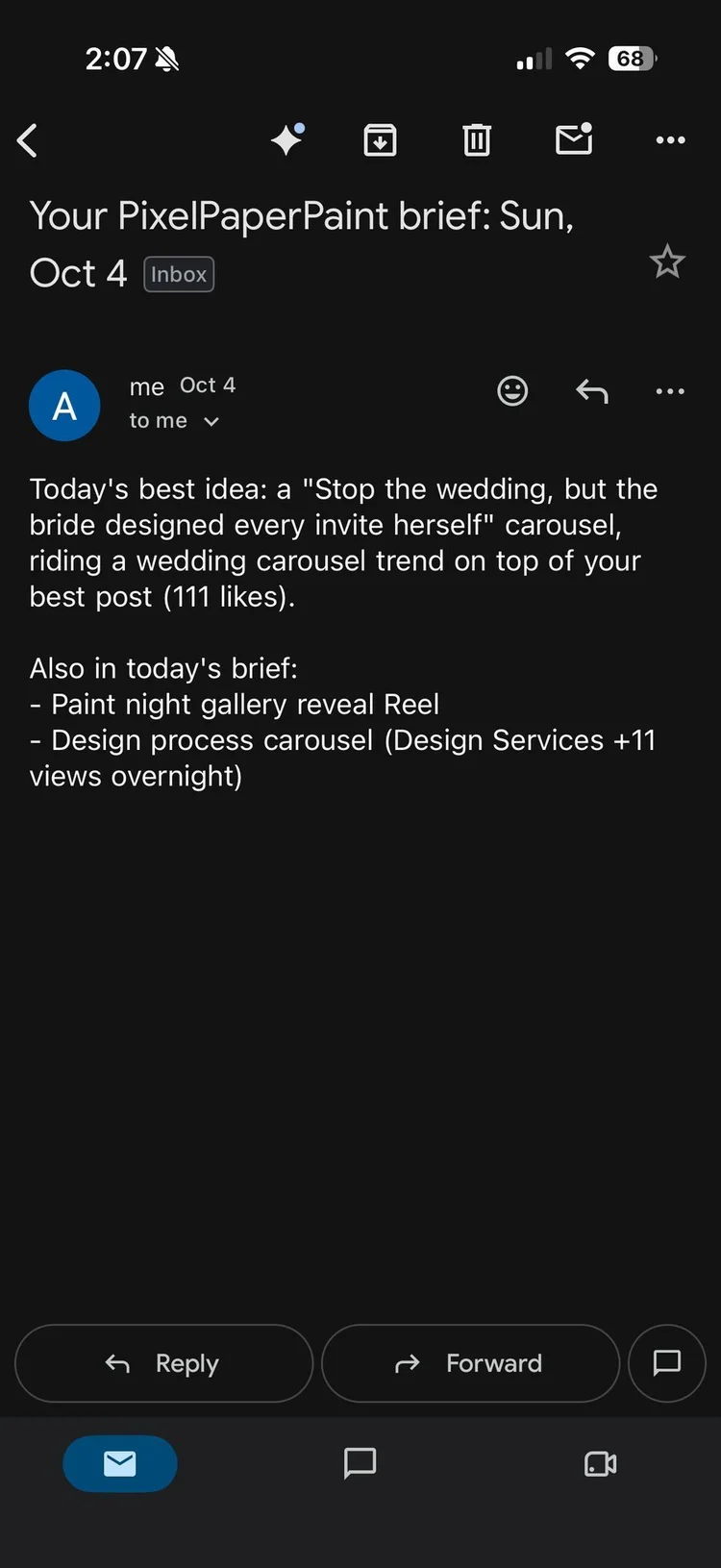
The morning brief lands in my inbox with the day’s best idea.
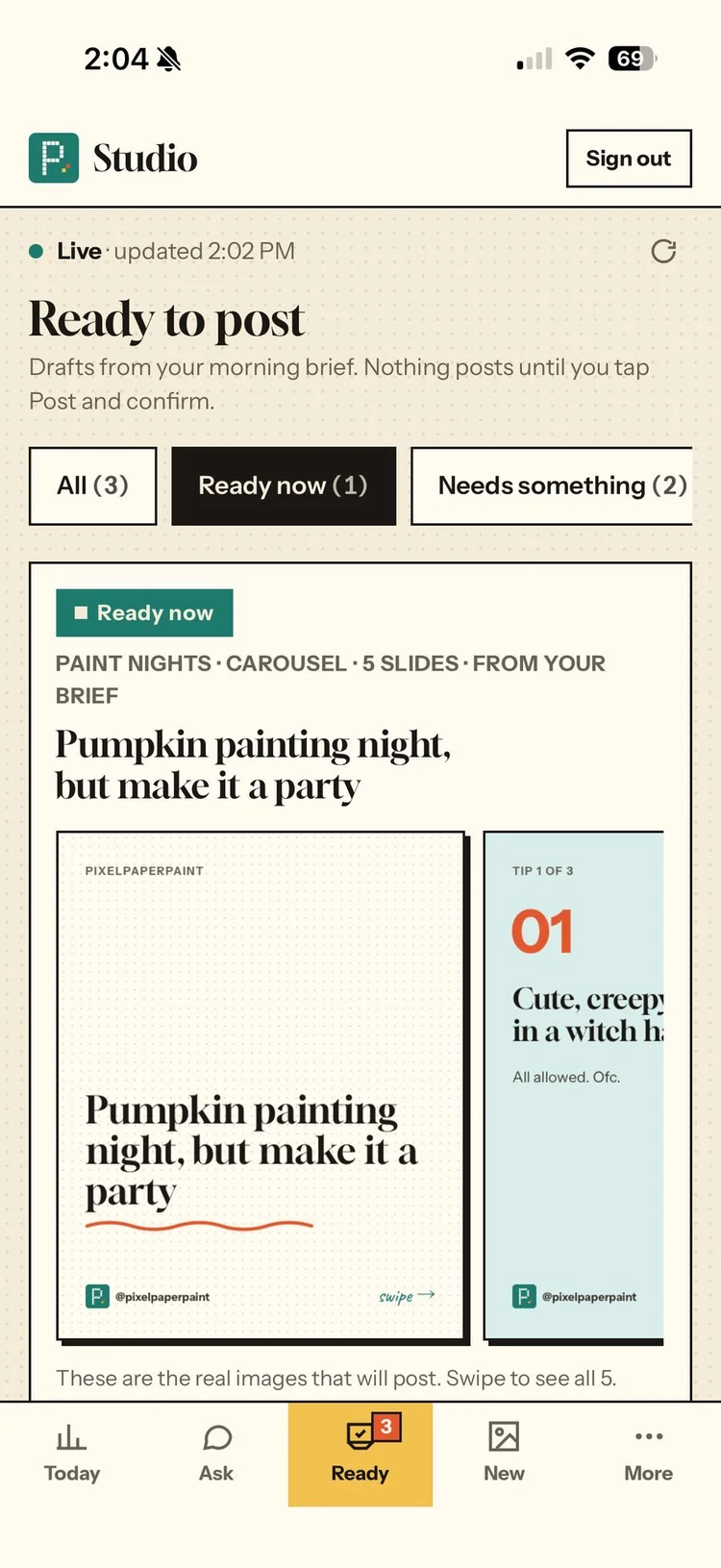
Drafts wait for me. Skip has an Undo.
I tap Post, then confirm.
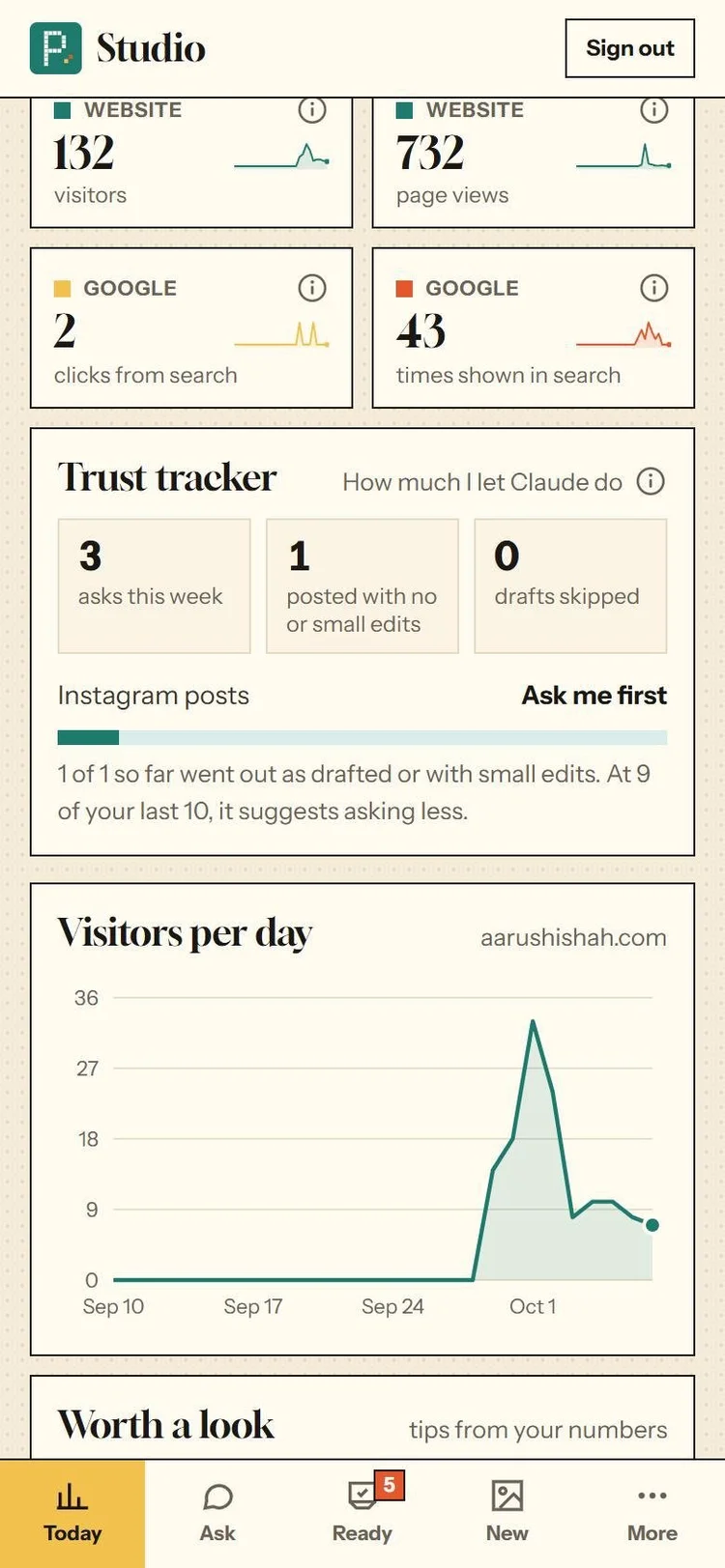
1 of 1 so far went out as drafted or with small edits.
Privacy
- Only my email can sign in.
- My Instagram login is encrypted on the server, not stored in the browser.
- The morning brief uses my own numbers and public pages only. No feed scraping, and nothing that gets around sites that block AI.
- The brief is set up to email only me.
Where the platform asked me for things I couldn’t see or couldn’t do
Here’s what I’d design differently.
API key · the browser inside the Claude app
Robot key file · Claude’s setup plan
Always allow · my scheduled brief
Scheduled runs · what they need
Claude Docs · the cursor
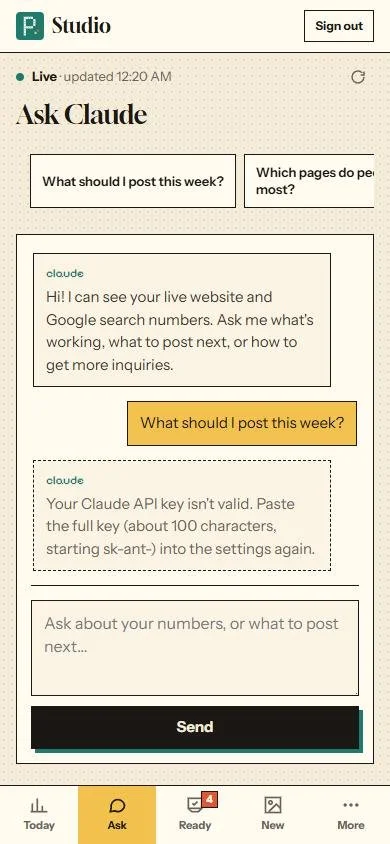
When a key is rejected, it says what to do
“Your Claude API key isn’t valid. Paste the full key (about 100 characters, starting sk-ant-) into the settings again.” Captured by simulating a rejected key, so my real key stayed untouched.
One thing the platform got right: it let me set a monthly spend limit on my API key before the app made a single call.
It’s live and I use it
1 posted without changes. The other 2, I closed the confirm sheet without choosing, which now counts as “not now”. So far 1 of 1 went out as drafted or with small edits.
Oct 2, 12:12 to 1:09 AM. Instagram posting, Ready to post and the Trust tracker came over the next two days.
5 posts (Oct 2)
742 page views (Sep 29 to Oct 8)
Real numbers only, as of Oct 8.
Next on the list
- Photos straight from my Google Drive folder into drafts.
- Posting reels from the app, not just planning them.
- Scheduled posting.
- The next step on the trust ladder: “tell me after” for Instagram posts once 9 of my last 10 go out as drafted or with small edits, and only if I turn it on.
What a week of letting AI run my small business taught me about when it should act, and when it should ask.
Read the essay →